


|
Name |
Kimi |
|---|---|
|
Google Play Link |
GET IT ON
Google Play
|
|
Category |
Tools |
|
Developer |
Moonshot AI |
| Last version | 3.1.3 |
|
Updated |
|
|
Compatible with |
Android 8.0+ |
Introduction to Kimi APK
Kimi is a mobile application designed for Android devices running version 8.0 or higher. It belongs to the utility and productivity app category, built to act as a personal AI assistant that handles thinking-heavy tasks directly on a phone. The app is offered by Moonshot AI and is available on Google Play, with both free access and optional in-app purchases.
The main purpose of Kimi is to help users write, analyze, plan, and solve problems in one place. It supports tasks like drafting content, answering complex questions, building presentations, and assisting with coding work. Everything happens inside the app, so users do not need to jump between tools or websites to finish a task.
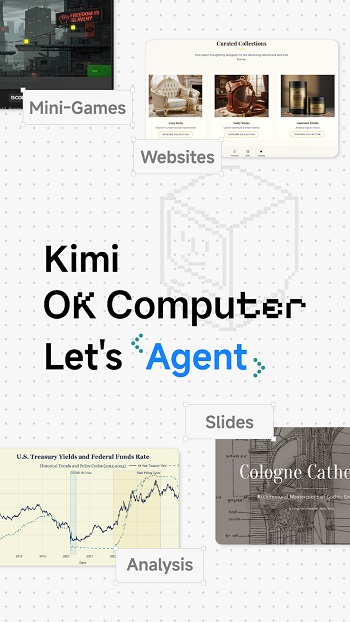
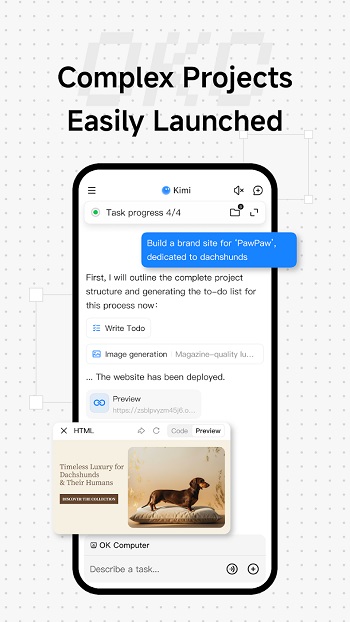
One standout part of Kimi is its Agent Mode, known as OK Computer. This mode can plan steps, use tools, and complete multi-stage tasks with minimal guidance. It works well for workflows such as outlining a product idea, preparing documents, or organizing structured information. Users who dislike repetitive setup work may find this mode especially helpful.
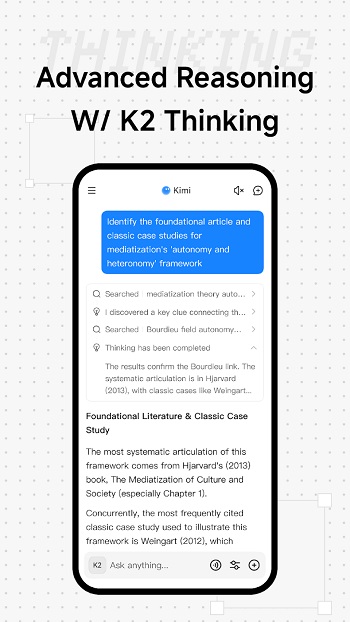
Kimi also includes the K2 Thinking model, which focuses on step-by-step reasoning. It is useful for math, logic, and technical questions where clear explanations matter. The large 200,000-word context window allows long conversations without losing earlier details, which helps during research, study sessions, or long-form writing.
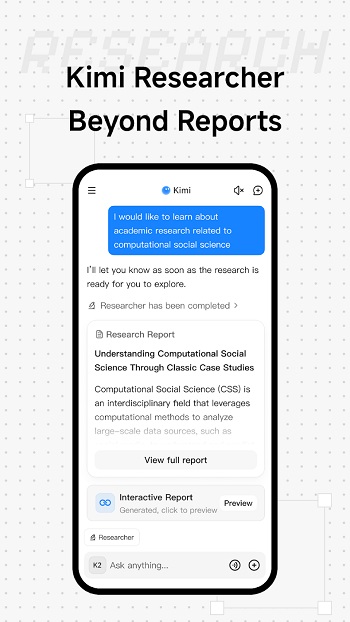
Another practical feature is file handling. Kimi can analyze up to 50 files at once, including PDFs and presentations. It also supports web searches across many websites to provide current information. For developers, the app can generate and debug code in languages such as Python and Go, making it useful for quick checks or learning.
There are a few limitations to keep in mind. Some advanced features rely on internet access, and heavy tasks may feel slower on older devices. Certain tools are locked behind in-app purchases, which may not suit casual users. The app is best suited for students, creators, developers, and professionals who regularly work with text, data, or ideas and want a single assistant on their phone.
FAQs Kimi
What is Kimi APK?
+
Kimi APK is an Android utility app that works as an AI assistant for writing, research, coding, and problem-solving tasks.
Is Kimi available for free?
+
Kimi can be downloaded for free, but some advanced features and tools require in-app purchases.
What can Kimi be used for?
+
It helps with writing content, analyzing files, solving logic problems, generating code, and building presentations.
Does Kimi work offline?
+
Most core features need an internet connection, especially web search, file analysis, and advanced reasoning.
Who should use Kimi?
+
Kimi suits students, developers, writers, and professionals who want AI assistance for daily thinking and productivity tasks.
Discover More Interesting Apps
-

Palmstore
v6.7.8
7709029
Updated -
Mod
yw player
v1.3.5
27931546
Updated -
NTAndroid
v1.0
34 MB
Updated -
Mod
Aspect Gaming Xyz
v1.0
20 MB
Updated -
Mod
Touch VPN
v4.0.0
45.84 Mb
Updated -
TikFinity
v2.6.11
88.37 Mb
Updated -
Mod
Free VPN
v2.5.3.0
142.00 Mb
Updated -
Mod
PigeonCast
v3.6.8
63.08 Mb
Updated -
Mod
Download Hub Movies
v7.3.3
62.40 Mb
Updated -
GearUP Game Booster
v4.0.7
19.38 Mb
Updated










Share Your Thoughts